
Premium features,
without the premium.
Everything you watch, how you want to watch it — and a few things the official app doesn't do at all.
No ads. Anywhere.
No pre-rolls, no mid-rolls, no banners. Videos start the moment you tap them — and with SponsorBlock, even the sponsor reads inside videos get skipped automatically.
Background play
Lock your phone or switch apps — audio keeps going, with lock-screen controls.
Picture-in-picture
A floating player you can drag anywhere while you browse, plus system PiP.
Offline downloads
Save videos in up to 1080p or just the audio, download whole playlists, or auto-download new uploads from chosen channels on Wi-Fi.
Up to 4K quality
Auto quality that adapts to your connection, or pick 144p to 4K yourself.
Shorts
A full-screen vertical feed — swipe, like, comment and share.
Dislikes are backEXTRA
See dislike counts again, powered by Return YouTube Dislike.
Private by design
No account, no ad tracking. History and subscriptions stay on your phone — the app only sends anonymous usage stats. Incognito mode included.
New-upload alerts
Get notified when channels you follow post something new — no login required.
Smart search
Suggestions as you type, voice search, and filters for date, length and type.
Sleep timer & more
Sleep timer, loop, playback speed, queue, chapters, captions and comments.
"For you", built on your phone
A Home feed picked from what you actually watch, worked out on your phone, so your viewing never leaves it.
Library & playlists
Make your own playlists from any video, then play all, shuffle or download the lot. History and Watch later live here too.
No more clickbaitEXTRA
DeArrow swaps shouty titles and arrow-filled thumbnails for honest titles and real frames from the video.
Hide by keywordEXTRA
Never see videos about a show, game or topic you'd rather skip. Add the words and they're gone from every feed.
Watch time & breaksEXTRA
See how long you watch each day and on which channels. Set a daily goal and get a gentle nudge to take a break.
Backup & restore
Save your subscriptions, playlists, history and progress to one file, and bring it all back on a new phone.
One app. Your phone
and your TV.
The same download runs on Android phones, tablets and TVs — on a TV it switches to a big-screen layout made for the remote.
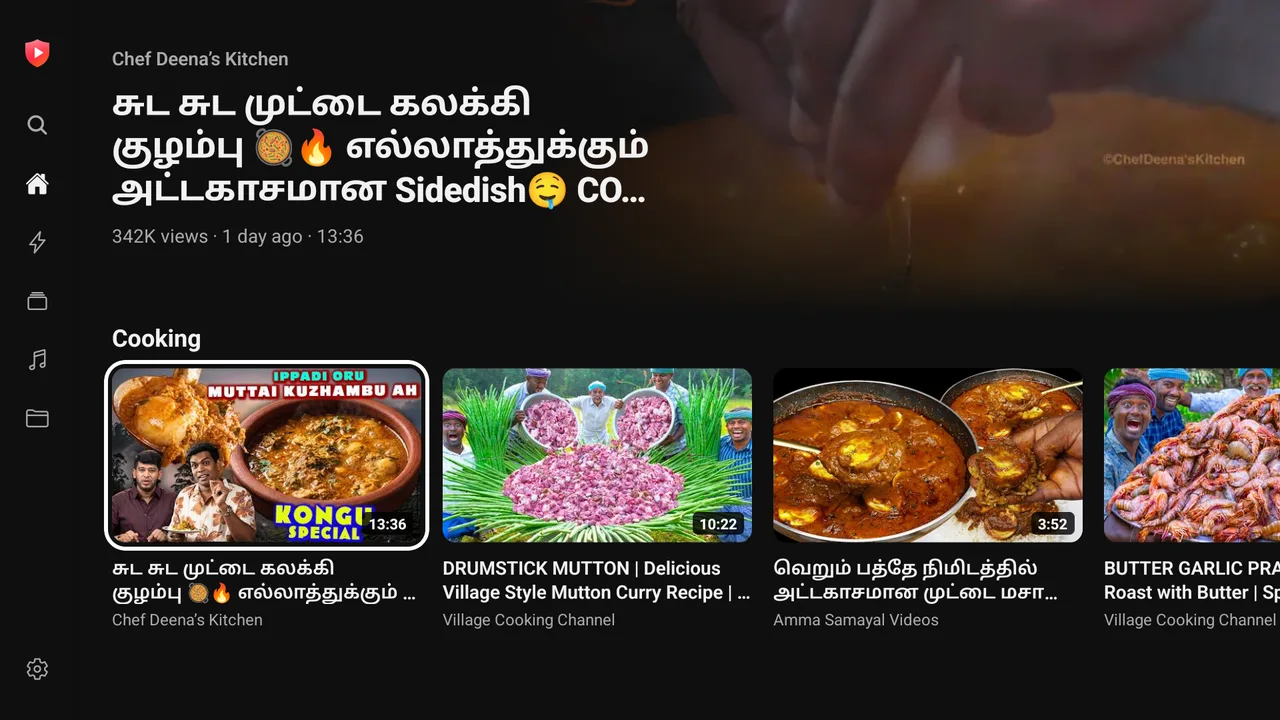
On your phone
- Background play, picture-in-picture and a floating mini player
- Swipe for brightness and volume, double-tap to skip
- Offline downloads and a home screen music widget
On your TV
- A side menu and rows by category, with a big preview of what's highlighted
- Remote-friendly player: skip, seek along the progress bar, Up next
- Voice search, and it works on Android TV, Google TV and Fire TV
A music player,
built right in.
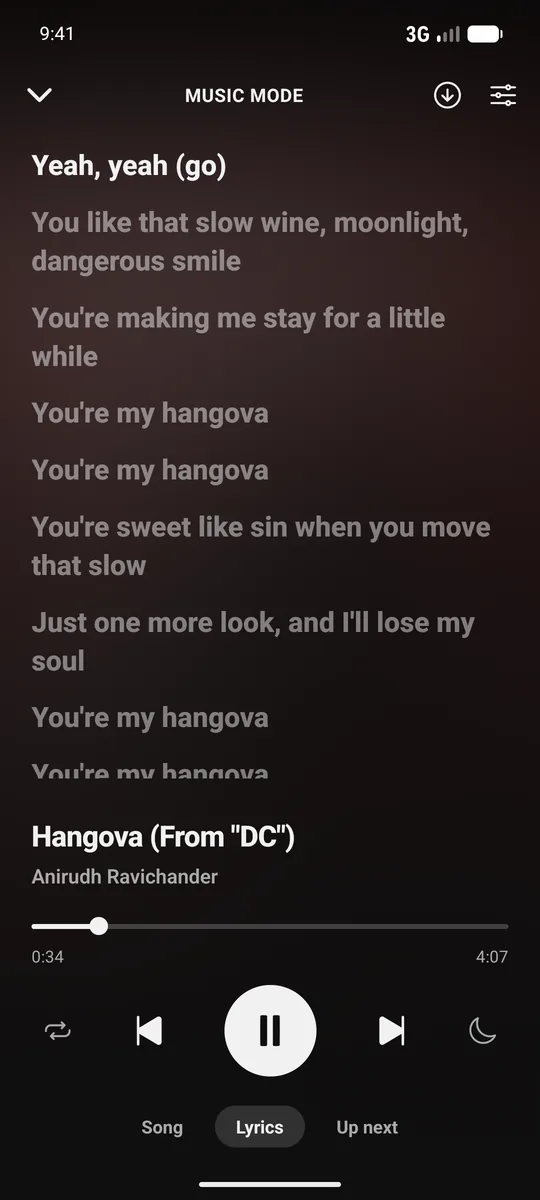
Open the Music tab and listen with the screen off — no video, no ads, and the words to every song.
- Synced lyrics that scroll with the song, in your language's script, with the current line shown in the player bar.
- Your queue, your way — reorder, remove or jump ahead, and add suggestions with a tap.
- Offline songs — save tracks and play them from the Downloaded shelf with no signal.
- Sound controls — speed from 0.75× to 1.25× with or without pitch change, plus equalizer presets.
- Home screen widget — artwork, play/pause and next, without opening the app.
Why pay for what
should be free?
Everything that matters in Premium — at no cost, and with more privacy.
| Official app | Premium | AdFree Tube | |
|---|---|---|---|
| No ads | ✕ | ✓ | ✓ |
| Background play | ✕ | ✓ | ✓ |
| Picture-in-picture | ✕ | ✓ | ✓ |
| Offline downloads | ✕ | ✓ | ✓ |
| Music with screen off | ✕ | ✓ | ✓ |
| Skip in-video sponsors | ✕ | ✕ | ✓ |
| See dislike counts | ✕ | ✕ | ✓ |
| Honest titles, no clickbait | ✕ | ✕ | ✓ |
| Works without an account | ✓ | ✕ | ✓ |
| Ad-free on your TV | ✕ | ✓ | ✓ |
| No ad tracking | ✕ | ✕ | ✓ |
| Price | Free | Monthly fee | Free |
Looks right at home.
A familiar, polished dark design — just without the noise.
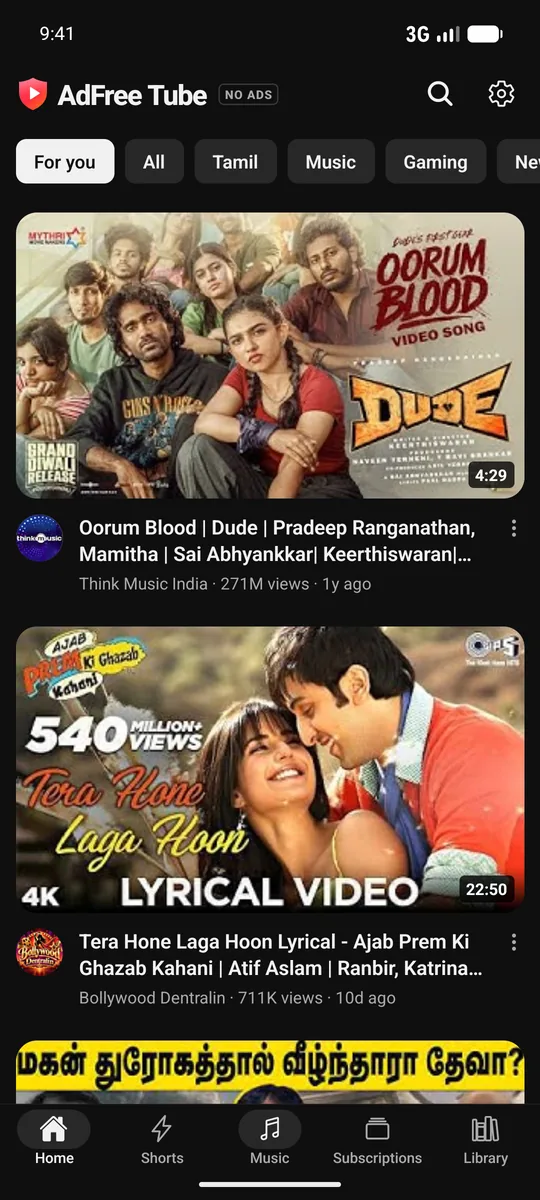
Home
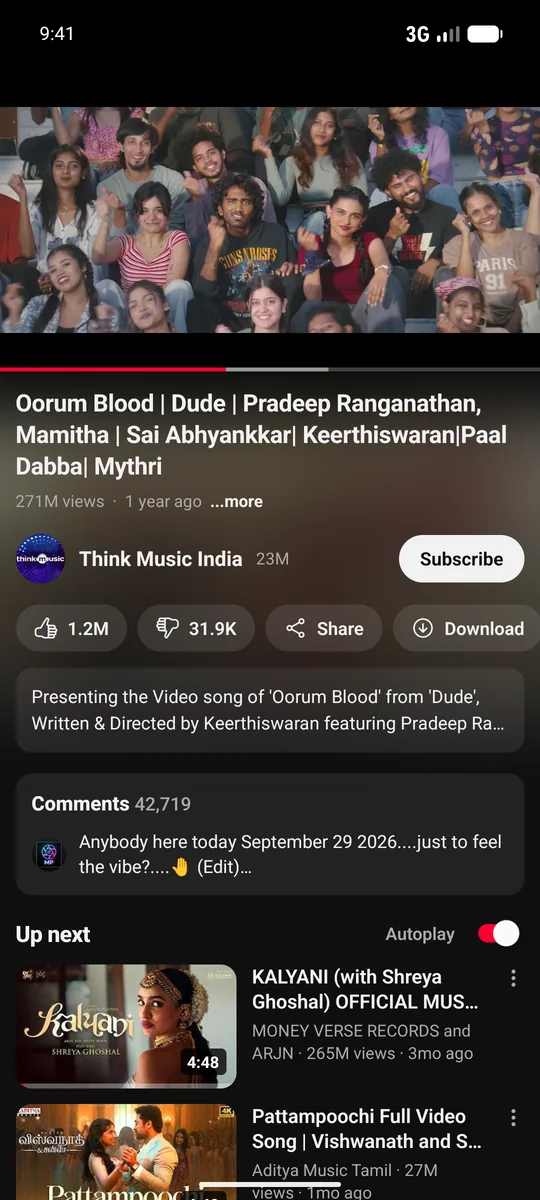
Watch
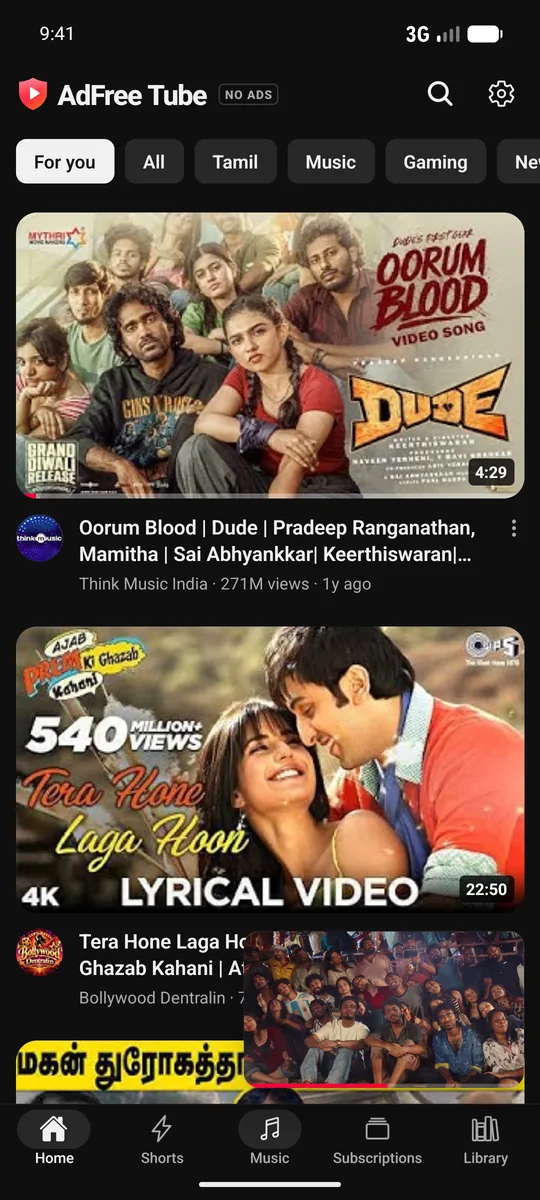
Floating player
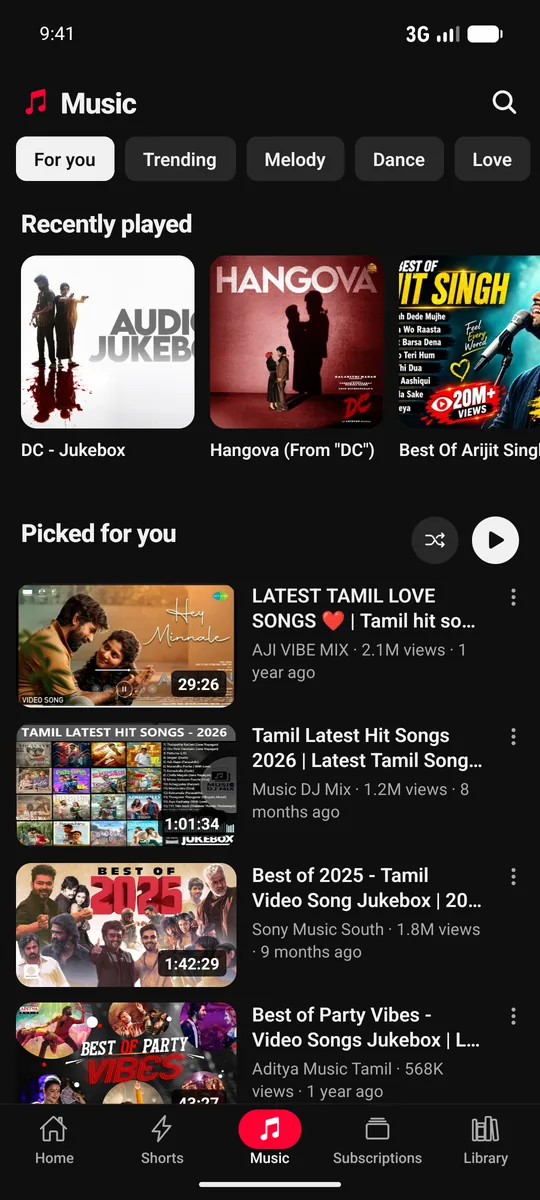
Music
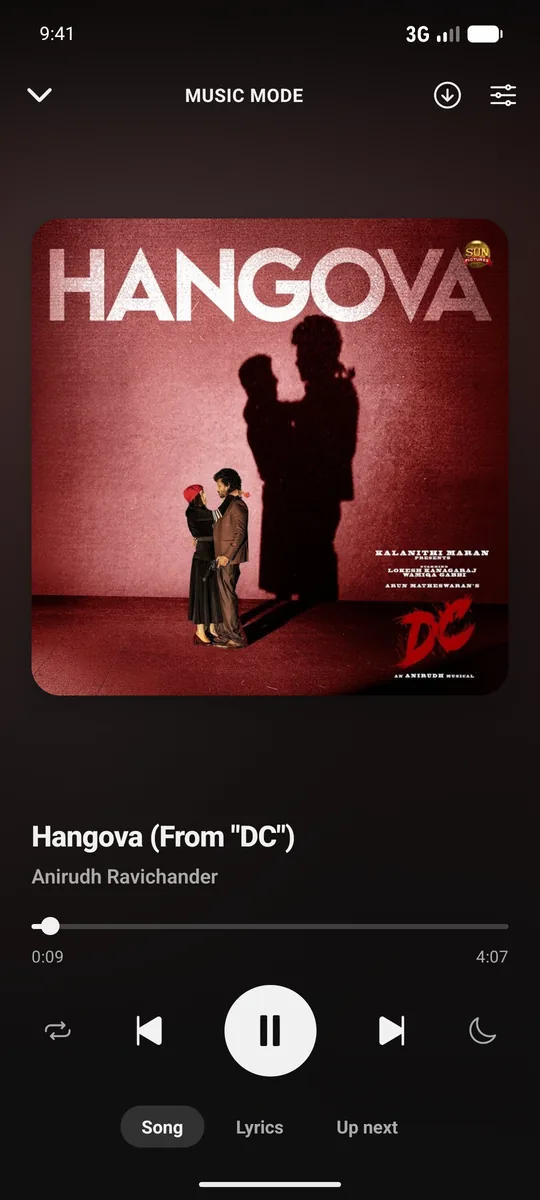
Music mode

Shorts
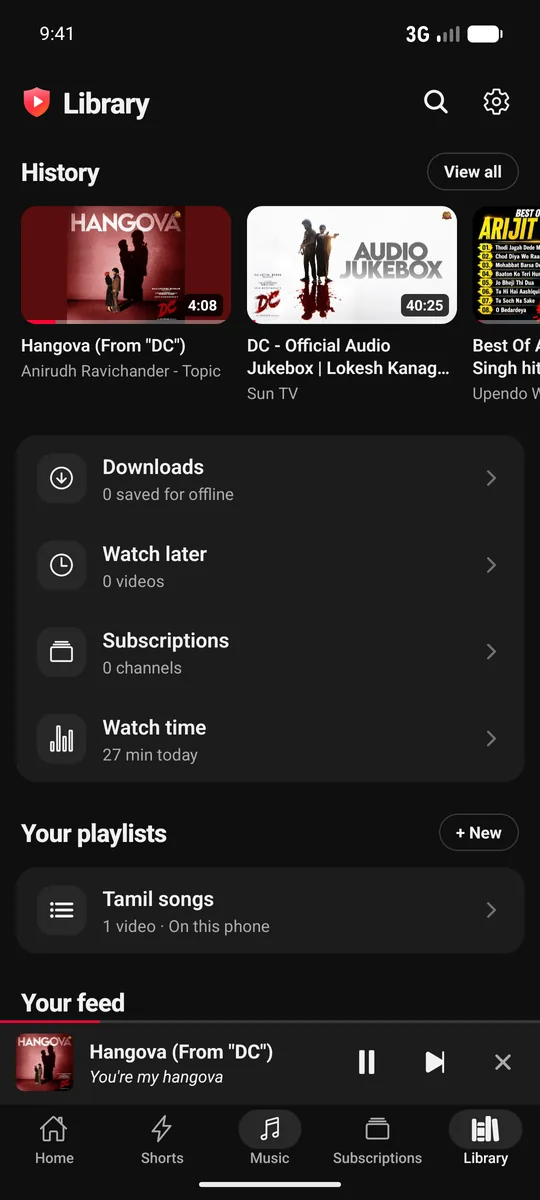
Library
Swipe to see more →
Up and running in a minute.
AdFree Tube isn't on the Play Store, so you install it directly — it takes three taps.
Download the APK
Tap Download for Android & TV. Your browser may ask if you want to keep the file — choose Download anyway.
Allow the install
Open the file. If Android asks, tap Settings and turn on Allow from this source, then go back.
Open and enjoy
Tap Install, then Open. The app tells you when a new version is out — just download again to update.
On a TV (Android TV, Google TV, Fire TV)
Get Downloader
Install the free Downloader app from your TV's app store (Play Store or Amazon Appstore). Or skip ahead: send the APK from your phone with Send Files to TV.
Allow installs from it
Open the TV's Settings → Apps → Security (Fire TV: My Fire TV → Developer options) and allow Downloader to install unknown apps.
Type the link
In Downloader, enter rajkumar30598.github.io/Adfree-tube-landing/AdFree-Tube.apk and press Go, then Install. AdFree Tube appears on your TV's home screen.
Updated all the time.
The latest releases — every one is free and updates over the old version.
Questions, answered.
Is it really free?
Yes. No subscription, no in-app purchases and no ads. Videos stream straight from the source to your phone, so there are no servers to pay for.
Do I need an account?
No. Everything works without signing in. Subscriptions, history and Watch later are saved privately on your phone. You can import your existing subscriptions from Google Takeout in a few taps.
Is it safe to install?
The app is signed, has no ads or ad trackers, collects only usage stats and crash reports (Firebase — tied to a random ID made for your install, never a device, advertising or account ID; no search terms, watched videos or account details), and asks only for the permissions it needs (notifications for upload alerts and the microphone for voice search, both optional). Android warns about any app installed outside the Play Store — that's expected.
How can I check my download is genuine?
Every release is signed with the same key. The signing certificate's SHA-256 fingerprint is A1:6E:8A:A6:5E:D0:6F:E9:C0:E2:CA:B2:84:FA:34:3E:A6:1A:14:7B:36:28:95:34:9D:77:7D:BF:4F:C6:2F:96 and the current APK's SHA-256 is listed in the release notes on GitHub. Check with sha256sum AdFree-Tube.apk or apksigner verify --print-certs AdFree-Tube.apk. Android also refuses to install an update signed with a different key over the app you have.
How do I update?
When a new version is released, the app shows an "update available" banner. Tap it (or come back to this page) and install the new APK over the old one — your data stays.
Can I move my data to a new phone?
Yes. Go to Library → Backup and save everything (subscriptions, playlists, history, watch progress) to a file. On the new phone, install AdFree Tube and restore from that file.
Does it work on Android TV?
Yes — there's a version made for the big screen, with a side menu, rows of videos, remote-friendly controls and voice search. It runs on Android TV, Google TV and Fire TV. It's the same APK as for phones — the app switches to its TV layout on a TV. Open this page in your TV's browser and download it, or send the APK to the TV with an app like Send Files to TV, then open it to install (allow installing from that app if the TV asks).
Is there an iPhone version?
Not yet — AdFree Tube is Android-only for now.
Why isn't it on the Play Store?
Ad-free players like this aren't allowed on the Play Store, so it's distributed directly from this page, like other open video apps.
Watch without the wait.
Free, private and ad-free. Download AdFree Tube for Android phones and TVs.